Downloads
Take it with you.
Write on your computer, preach from your phone, and let ServantSync run the booth.
Safari or Chrome · phone and tablet
Preach from your phone today
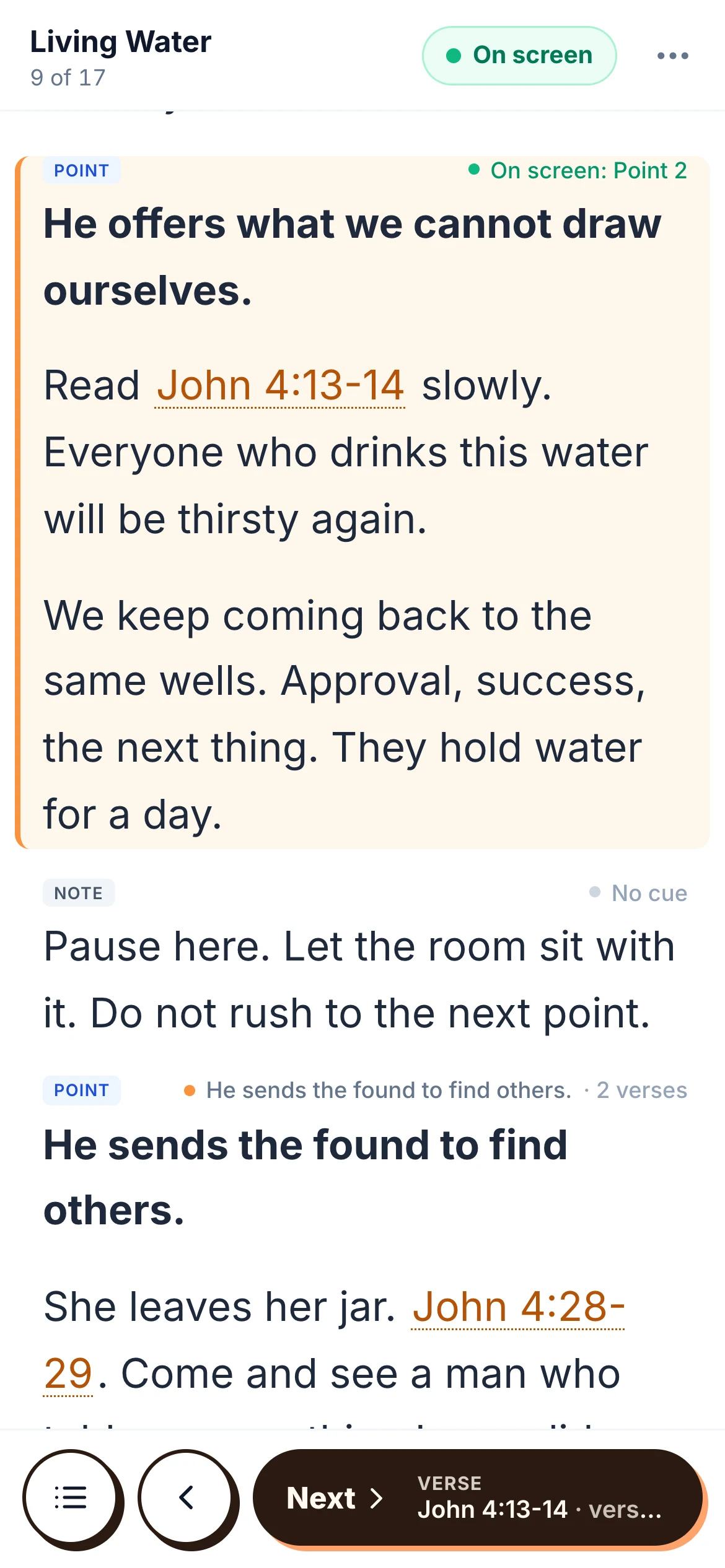
Preach mode works in the browser on any phone or tablet. The screen stays awake, a tap opens any verse, and Next verse walks a passage one verse at a time. There is nothing to install before Sunday.
App Store
iPhone and iPad
Preach mode and your sermons in a native app. Until it ships, use Safari.
Google Play
Android
The same for Android phones and tablets. Until it ships, use Chrome.
Mac · Windows soon
ServantSuite for desktop
Write your sermon with or without the internet. Scripture and your study sit beside the manuscript, and everything syncs with the web app.
Made for the study
Works offline. Saves to your computer first, then syncs.
Scripture beside you. Open any verse in context, compare translations and drop it in.
A study pane. Quote from PDFs and web pages. Every quote keeps its source.
Automatic backups. Every sermon saved as Word and Markdown in a folder you choose.
Quick capture. A shortcut from any app sends an idea to your inbox.
Preaching time. Word count and minutes as you write, at your pace.
First launch.
ServantSuite is not code-signed yet, so your computer warns you the first time. Here is what to expect.
On a Mac
Open the app once, then go to System Settings, Privacy & Security, and choose Open Anyway. After that it opens like any other app.
Stuck? Talk to us and we will walk you through it.
Media computer · Mac and Windows
ServantSync
The small app on the media computer that follows your sermon and runs the slides, the lights and more. Pairing is free. Running it is $29 a month per computer, with a 14-day free trial.
Set it up once
- 1
Install it. Put it on the media computer, Mac or Windows.
- 2
Pair it. No login there. It shows a claim code, and an admin enters it in ServantSuite.
- 3
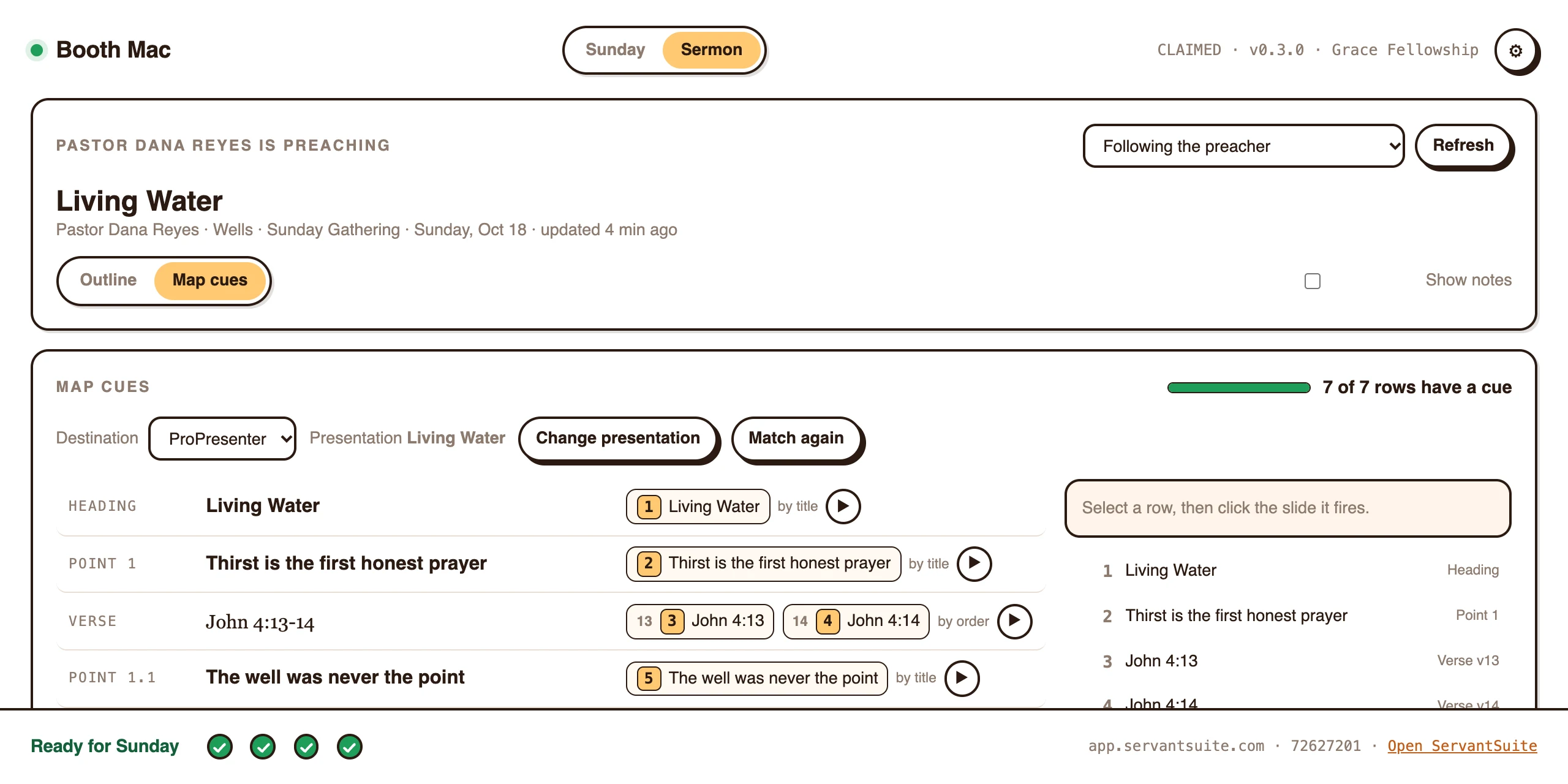
Add what your room has. ProPresenter, a lighting console over OSC, or anything with a URL. Then build quick cues like Blank and Logo.
- 4
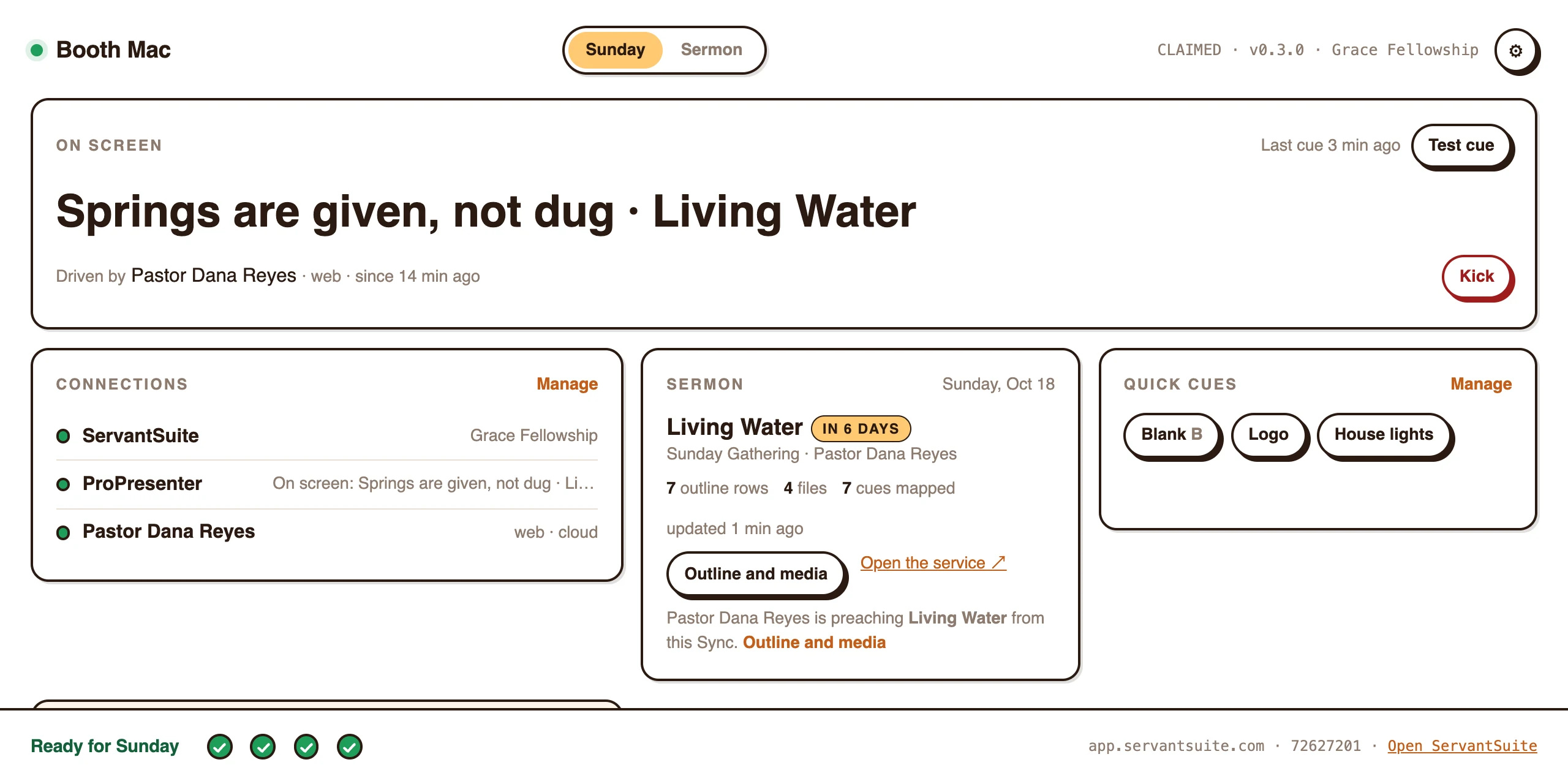
Map the sermon. On the Sync, pick the presentation. Points and verses find their slides on their own.
- 5
Preach. Open the sermon on your phone. The room keeps up.
Beta builds live inside ServantSuite, for churches in the beta program.
First launch.
ServantSync is not code-signed yet, so your computer warns you the first time. Here is what to expect.
On a Mac
Open the app once, then go to System Settings, Privacy & Security, and choose Open Anyway. After that it opens like any other app.
On Windows
SmartScreen shows a warning the first time. Choose More info, then Run anyway. After that it updates itself.
Stuck? Talk to us and we will walk you through it.