Show
From editor to pulpit.
Instantly.
Open your sermon on your phone or tablet and preach. No more printing pages, no binders, no three different apps open on your tablet.
Free forever, on any phone or tablet.
Steady · Week 3
Preachintro
Good morning, church.
point
1. He leads before He feeds.
verse
The LORD is my shepherd
story
The summer we lost the farm.
Steady · Week 3
Live- intro
Good morning, church.
- point
1. He leads before He feeds.
- versePsalm 23:1-2
The LORD is my shepherd
- story
The summer we lost the farm.
“The printer is out of toner. Again.”
Nothing to print.
Your sermon is ready to preach the moment you stop writing. Change a line at 8:55 and it is on your tablet at 8:56. No export, no formatting, no binder.
- One tap from the editor to preach mode
- Last-minute edits are already there
- Font size remembered on each device
Saturday night, before
- Export to PDF
- Print 14 pages
- Reprint page 6
- Find the binder
Sunday morning, now
Tap Preach
“Hang on, wrong app.”
One screen, not three.
Your notes, your verses and your clicker live in one view. Tap a verse to read it and show it. Next moves your notes and your slides together.
- Verses open in place
- Works with clickers, foot pedals and arrow keys
- Blackout and Clear one tap away
“Where was I?”
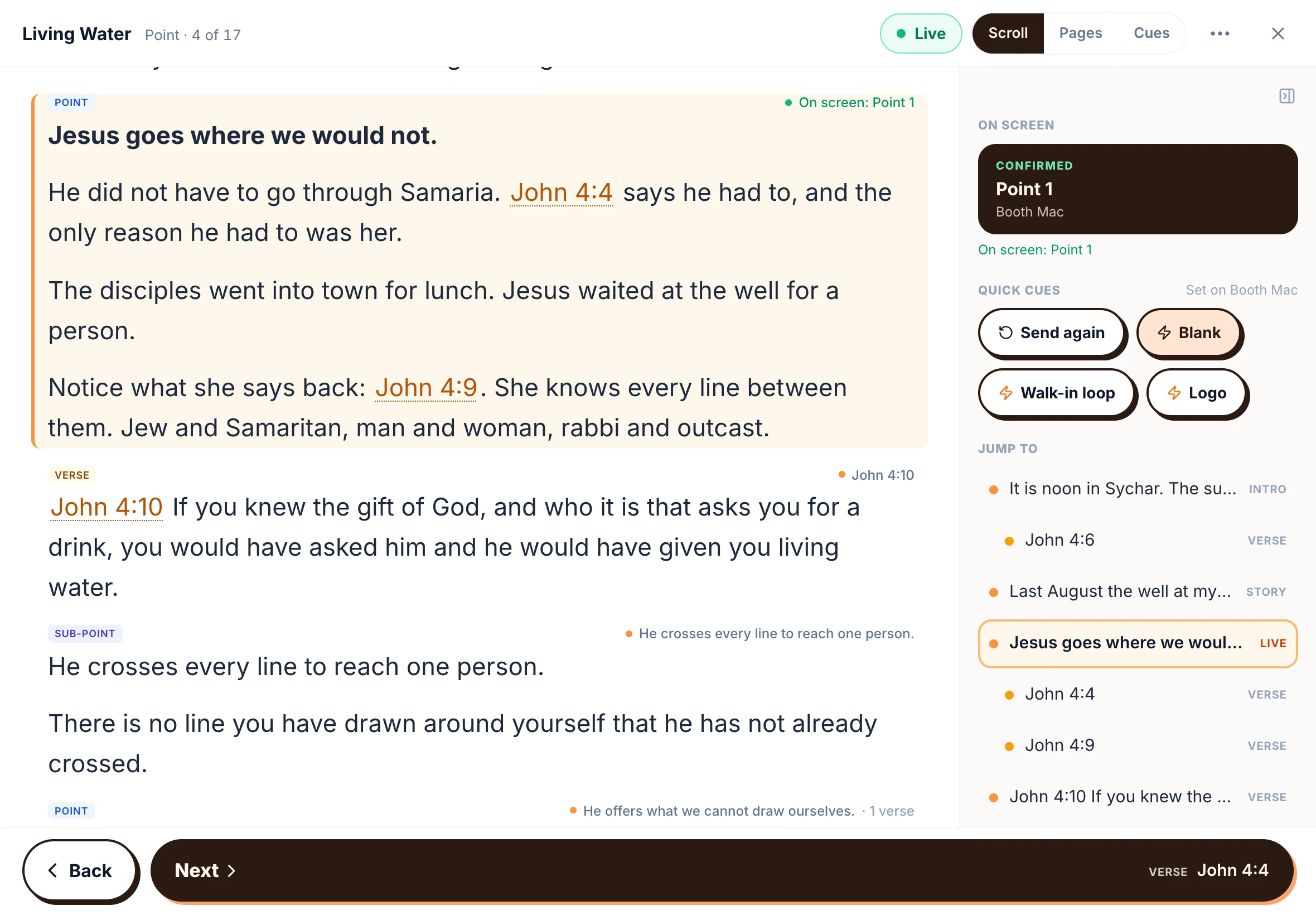
Your place, held.
The highlighted passage is where you are. Read ahead as far as you like and nothing moves. One tap brings you back to the live passage.
- Scroll, Pages or Cues: pick how you read
- Your last view is remembered
- Fullscreen for the pulpit
“Let me run it once before Sunday.”
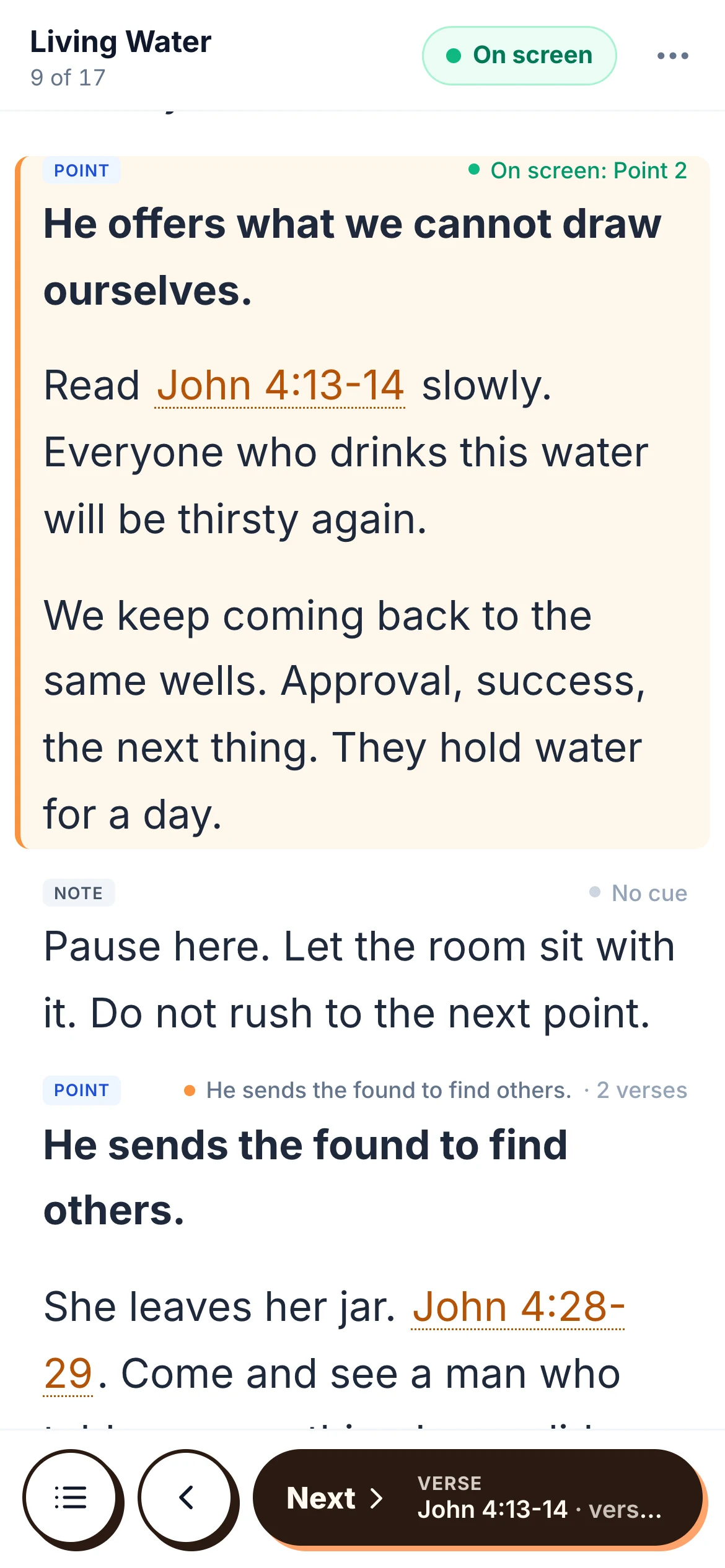
Rehearse on the same screen.
Turn Live off and preach mode is a rehearsal. Walk the whole sermon and nothing fires in the room. Turn it on and the room follows.
- Live is on by default on Sunday
- Off for run-throughs
- Tap a passage again to re-send it
Steady · Week 3
Live- intro
Good morning, church.
- point
1. He leads before He feeds.
- versePsalm 23:1-2
The LORD is my shepherd
- story
The summer we lost the farm.
Rehearsal. Nothing fires.
Sunday morning
- 1
Open your sermon
On the phone or tablet you already own. It is the same sermon you wrote, not a copy.
- 2
Tap Preach
Pick Scroll, Pages or Cues. Set the font where your eyes like it.
- 3
Walk up
Next, Back, or your clicker. With Sync, the room keeps up on its own.
Questions pastors ask
All guides- Guide
How do I preach from an iPad instead of printed notes?
Trade the binder for a tablet. How to preach from an iPad or phone: text size, a clock, verses on tap, clickers, and what to do about wifi.
Read the answer - Guide
How do I write sermons on an iPad and a Mac?
One sermon on every device you own. Write in Safari on iPad, offline on your Mac, and preach from either. What works today and what is coming.
Read the answer - Guide
How do I collaborate on sermon notes with my team?
Share sermon notes with your worship leader, media team and co-pastors. Comments, mentions, roles and version history, free for the whole team.
Read the answer - Guide
How do I run church slides with no one in the booth?
Your slides volunteer is out. Your options, from a clicker in the pulpit to slides that follow your sermon notes on their own.
Read the answer
Try it this Sunday.
Free forever, for every pastor. Five-minute setup for your whole team.