Guide · Devices and the pulpit
How do I preach from an iPad instead of printed notes?
No printer, no binder, no page six sliding off the pulpit. Your sermon, on the tablet you already own.
Free forever. No sermon limit, no card.
The short answer
Write your sermon somewhere that opens on the iPad, then preach from a view built for the pulpit. In ServantSuite, tap Preach and your notes open full screen on an iPad or phone, with large text, a clock and verses one tap away. The screen stays awake, and a clicker or foot pedal turns the page. It is free. It runs in Safari and needs an internet connection to open.
Last reviewed against the shipping product.
At a glance
- Devices
- iPad, iPhone, Android, any tablet
- Views
- Scroll, Pages or Cues
- Text size
- 14 to 56, remembered per device
- Cost
- Free
“The printer is out of toner. Again.”
Why pastors leave paper
Saturday night: export, print fourteen pages, reprint page six, find the binder. Sunday at 8:55 you change a line, and now the paper is wrong.
A tablet fixes the paper. It doesn't fix a PDF that is out of date the moment you edit. The notes on the tablet should be the sermon itself.
Saturday night, before
- Export to PDF
- Print 14 pages
- Reprint page 6
- Find the binder
Sunday morning, now
Tap Preach
Built for the pulpit
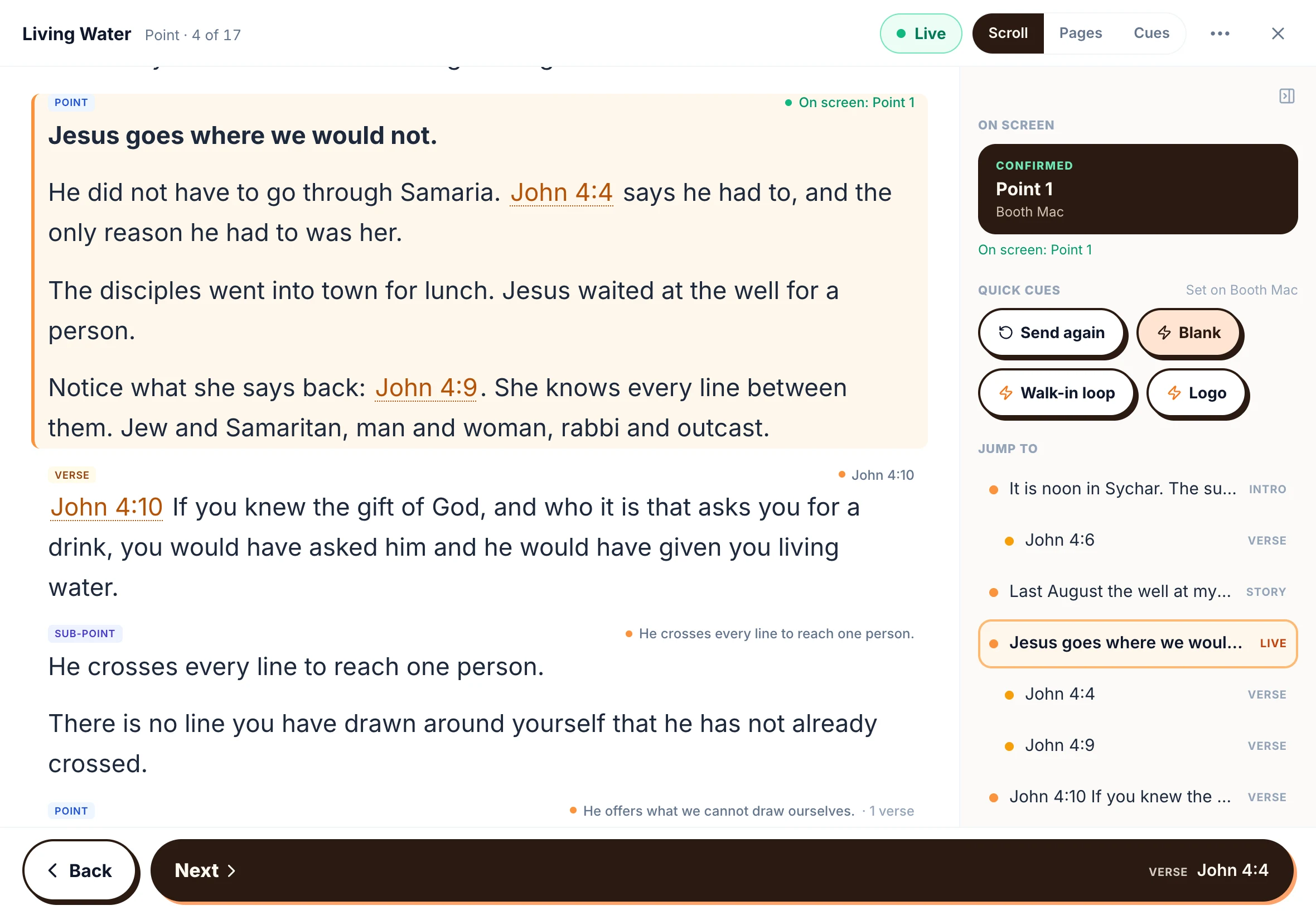
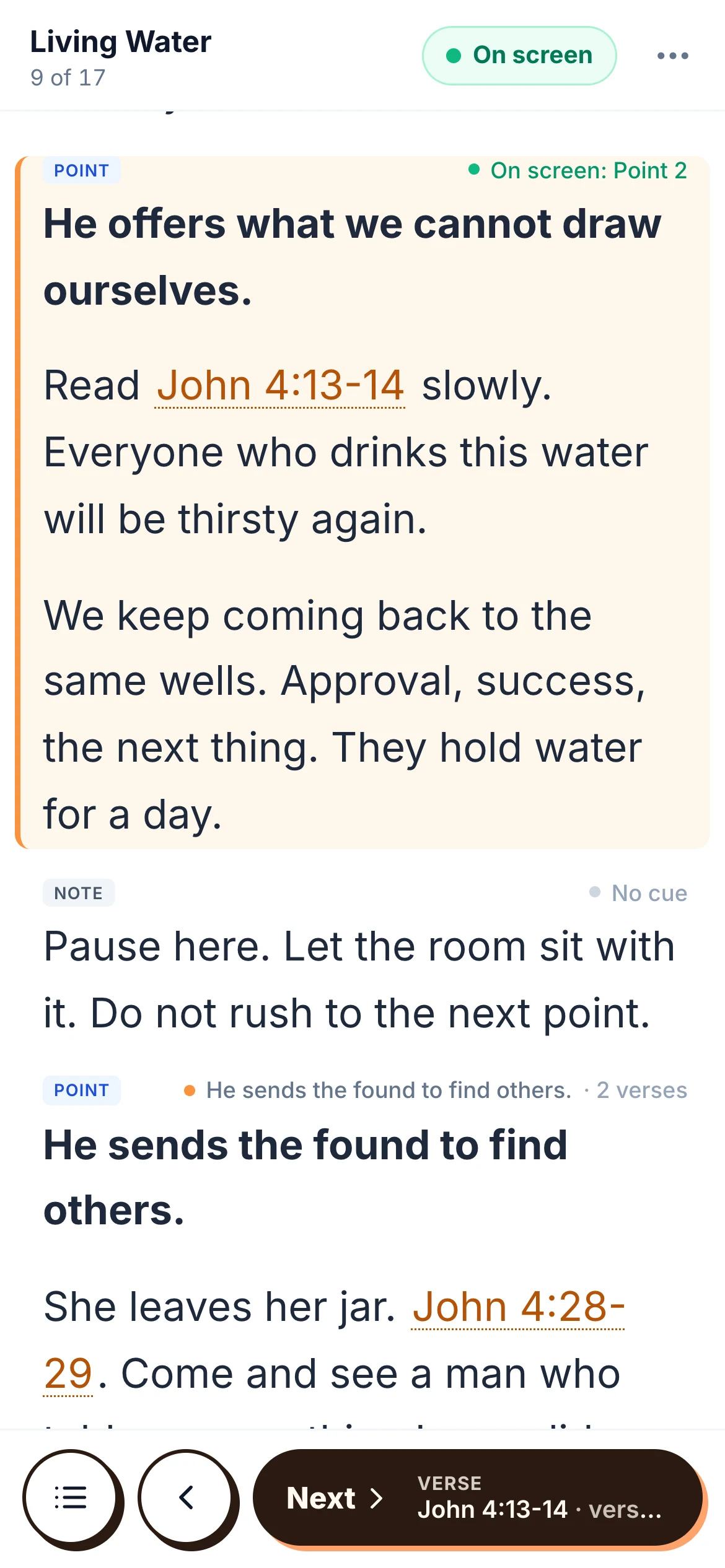
Preach mode is not a document viewer. Your place is highlighted. Read ahead as far as you like and nothing moves; one tap brings you back. Pick Scroll, Pages or Cues, set the text where your eyes like it, and choose the light or stage theme.
- The screen stays awake
- Clock: time elapsed, time left or time of day
- Focus mode fades everything but where you are
“Hold on, let me find that.”
Verses on tap
Tap a reference and the whole chapter opens beside your notes, with the passage marked. Next verse walks through it one verse at a time. No second app, no flipping pages mid-sentence.
Clickers and foot pedals
A presentation clicker or Bluetooth foot pedal that sends arrow or page keys moves you through the sermon. With ServantSync on the media computer, the same click moves the slides too.
Wifi and your first Sunday
Preach mode runs in Safari or Chrome and needs a connection to open your sermon. Open it before you walk up, and keep the iPad on the church wifi or a phone hotspot. If your church has no reliable internet, the Mac desktop app preaches offline.
First Sunday on a tablet? Tuck a printed copy in your Bible, just in case.
Honest fit
Is ServantSuite right for you?
A good fit if
- You print your notes every Saturday
- You already own an iPad or a phone with a big screen
- You change lines late and want them on the tablet
- You read verses aloud and want them on tap
Look elsewhere if
- You handwrite your notes with an Apple Pencil. Preach mode shows typed notes.
- You preach from an iPad where there is no internet at all. Print, or preach from the Mac app.
Free forever, for every pastor. Five-minute setup.
Your first Sunday
- 1
Put the sermon in
Write it, import a Word file or paste it.
- 2
Open it on the iPad
In Safari, go to app.servantsuite.com. Add it to your Home Screen.
- 3
Tap Preach
Pick a view and a text size. It remembers both.
- 4
Walk it once
Run the whole sermon on Saturday.
- 5
Preach
Next, Back or your clicker.
FAQ
Questions pastors ask.
Is there an iPad app?
Not yet. Preach mode runs full screen in Safari, and you can add it to your Home Screen. A native app is in the works.
Will the screen go to sleep?
No. Preach mode keeps the screen awake.
Can I use a foot pedal?
Yes, if it sends arrow keys or Page Up and Page Down.
Does it need wifi?
Yes, to open the sermon in the browser. The Mac desktop app works offline.
Can I preach from my phone?
Yes. Phones get their own layout, with your place held and the next passage below it.
Does it cost anything?
No. Preach mode is free forever.
Keep reading
All guides- Guide
How do I write sermons on an iPad and a Mac?
One sermon on every device you own. Write in Safari on iPad, offline on your Mac, and preach from either. What works today and what is coming.
Read the answer - Alternative
What's a better alternative to Word for writing sermons?
Word and Google Docs were built for memos. What a sermon editor adds, how to bring your old sermons over, and when to stay with Word.
Read the answer - Guide
How do I run church slides with no one in the booth?
Your slides volunteer is out. Your options, from a clicker in the pulpit to slides that follow your sermon notes on their own.
Read the answer
Try it this Sunday.
Free forever, for every pastor. No sermon limit, no card.
Questions first? Talk to a human