Alternative · Writing the sermon
What's a better alternative to Word for writing sermons?
Word is fine for writing. It is less fine for finding last year's sermon, preaching without printing, or getting notes to the booth.
Free forever. No sermon limit, no card.
The short answer
A sermon editor. Word, Google Docs and Pages are good at pages and fonts, but a sermon is points, verses and stories you move around and preach from. ServantSuite is a free sermon editor that structures your notes as you type, pulls in scripture, keeps every sermon in one searchable library and opens on your phone or tablet to preach. Your Word files import in a click.
Last reviewed against the shipping product.
At a glance
- Imports
- Word (.docx). Google Docs and Pages via Word.
- Exports
- Word, PDF, plain text
- Paper
- Optional. Print any time.
- Cost
- Free forever
“Which one is the final?”
Where Word gets in the way
Word doesn't know what a point is. Moving one means cut, paste and renumber. Verses get copied in from a Bible website. The finished file lives on one laptop, gets printed Saturday night, and is hard to find next year.
A binder has the same problems, plus the printer.
Documents folder
- Sermon_FINAL.docx
- Sermon_FINAL_v3.docx
- Sermon_FINAL_v3_really.docx
- John 4 (iPad copy).pages
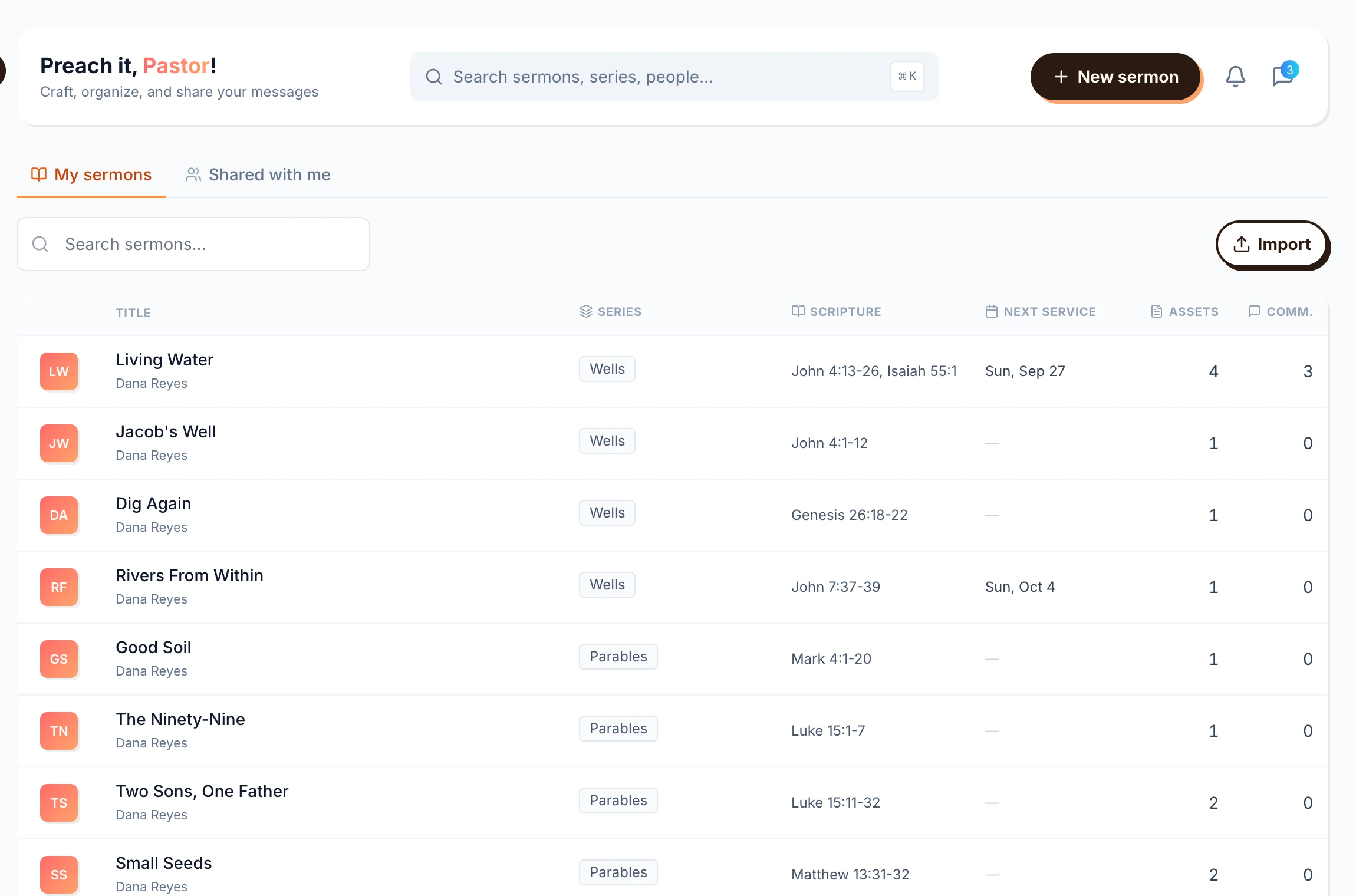
Sermon library
Living Water
Wells · Week 2 · John 4:13-14
Saved just now
What a sermon editor does instead
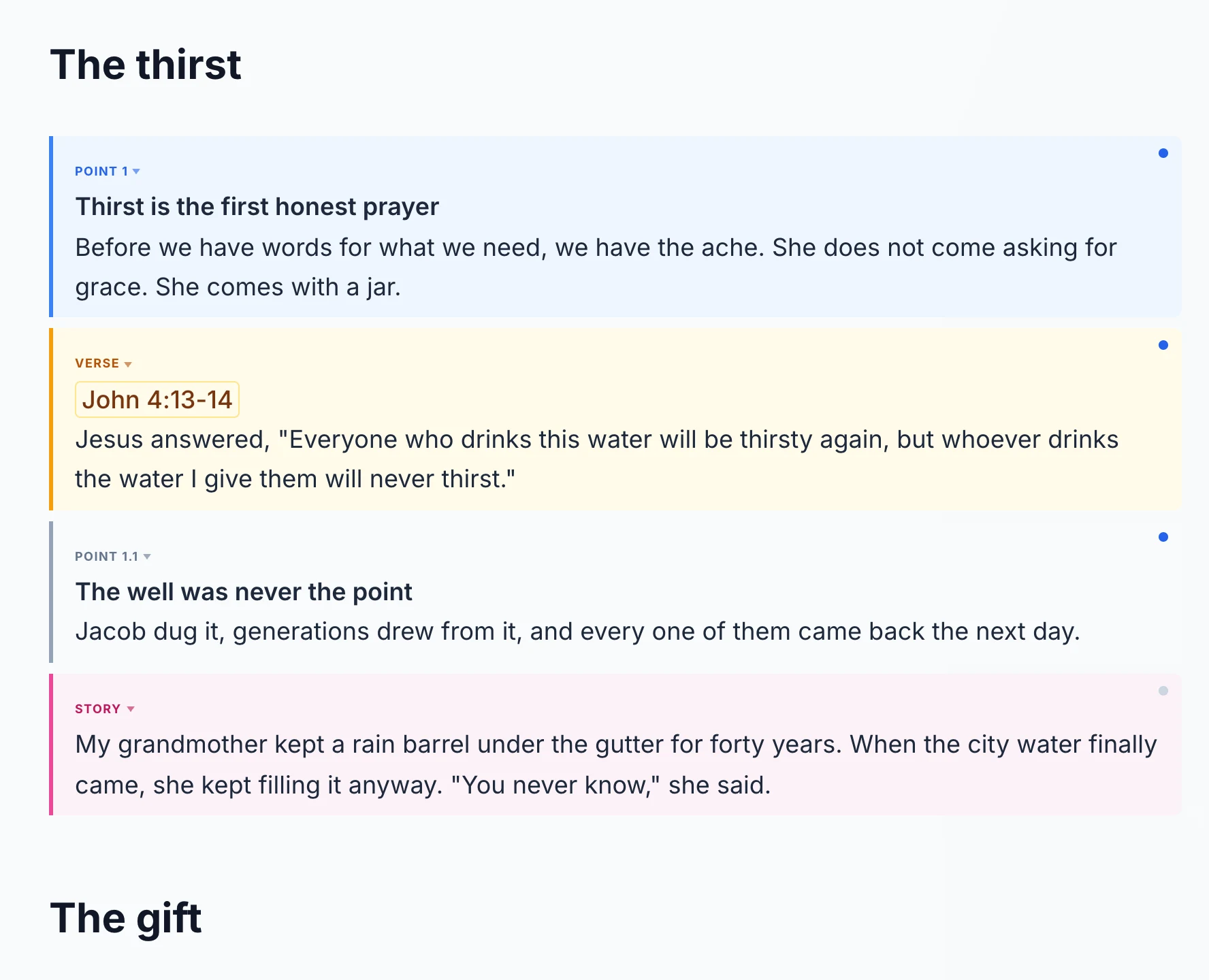
In ServantSuite, type / and pick a point, a verse, a story or a closing. Or highlight a line and turn it into a point. Your outline builds itself as you write, and blocks move without retyping.
- Points, sub-points, verses, stories, notes
- Type a reference and the passage is there
- Paste from anywhere and it comes in clean
Bring your old sermons with you
Import a Word file and ServantSuite finds your points, sub-points and notes. Your words stay exactly as you wrote them. A one-time AI pass does the tagging; it never rewrites, and your text is not used to train AI.
From Google Docs, choose File, Download, Microsoft Word, then import. From Pages, export to Word first. Or just paste.
- Word in, Word out
- Print or export a PDF whenever you want paper
- Your sermons stay yours when you change churches
“The printer is out of toner. Again.”
Preach it without printing
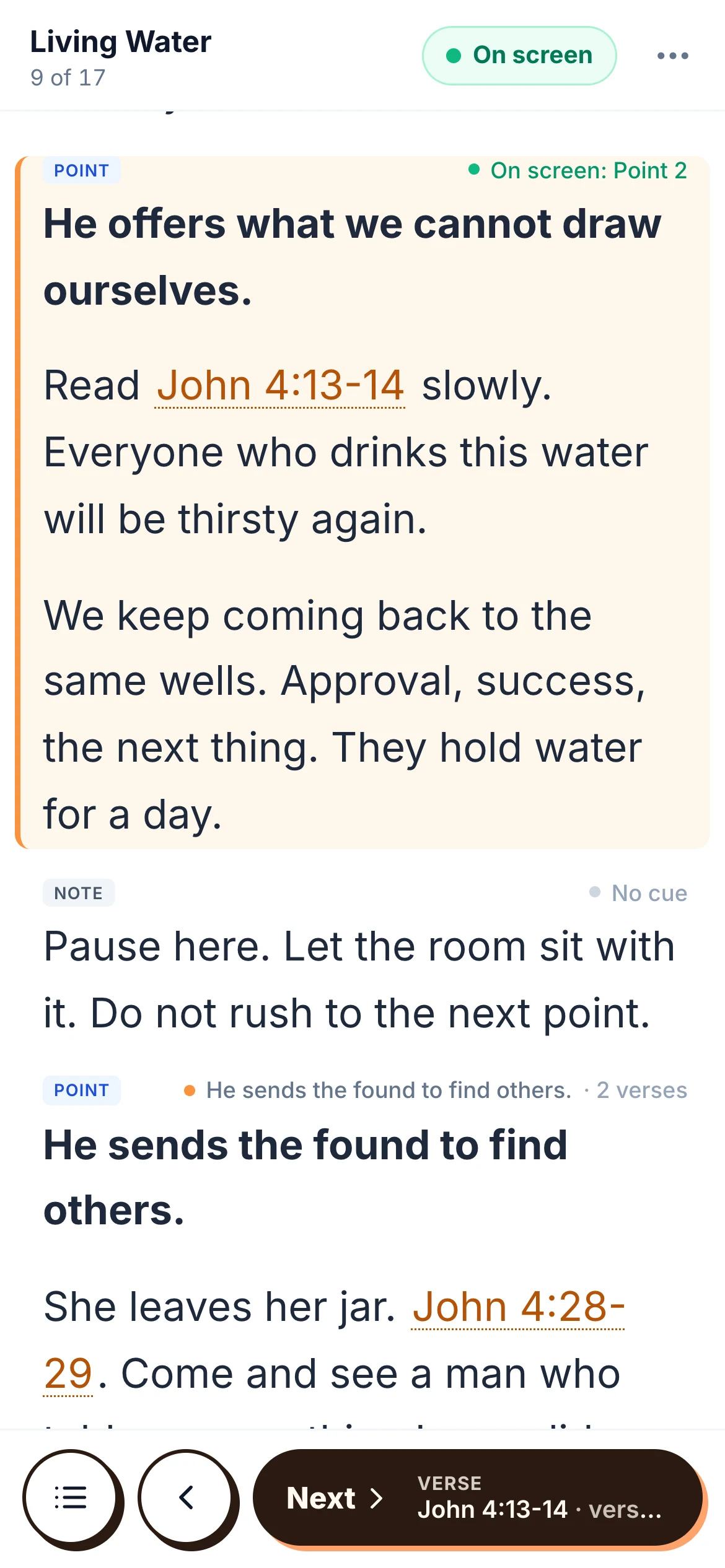
Tap Preach and the sermon opens on your phone or tablet. Change a line at 8:55 and it is there at 8:56. No PDF export, no binder, no reprinting page six.
Honest fit
Is ServantSuite right for you?
A good fit if
- Your sermons live in Word, Google Docs, Pages or a binder
- You re-preach and want to find old sermons fast
- You want to preach from a tablet instead of paper
- You want your team reading the same copy
Look elsewhere if
- You need page layout, letterhead or bulletin design. Keep Word for that.
- Your church files every sermon as a Word document on a shared drive. You can export each one, but it is an extra step.
- You rely on tracked changes. ServantSuite has comments and version history, not tracked changes.
Free forever, for every pastor. Five-minute setup.
Switch in an afternoon
- 1
Sign up free
No card, no trial clock.
- 2
Import a few recent sermons
Start with the series you are in. Word files go straight in.
- 3
Write next Sunday's here
Type / for a point or a verse.
- 4
Preach it from your tablet
Keep a printout in your Bible the first week if it helps.
FAQ
Questions pastors ask.
Can I import my Word sermons?
Yes. Import a .docx file and ServantSuite turns your paragraphs into points, sub-points and notes. Import works one file at a time.
What about Google Docs?
Download the doc as a Word file (File, Download, Microsoft Word), then import it. Or copy and paste: text from Google Docs comes in clean.
Can I still print my sermon?
Yes. Print it, or export a PDF or Word file, any time, free.
Does ServantSuite use AI on my sermons?
Only on Word import, to tag your existing paragraphs as points and notes. It never writes or rewrites your words, and your sermons are not used to train AI.
Is it free?
Yes. Writing and preaching are free forever, with no sermon limit.
Keep reading
All guides- Guide
What's the best free sermon writing software?
The free sermon writing tools pastors use, what each one is good at, and what free really includes. Trials marked as trials.
Read the answer - Guide
How should I organize years of old sermons?
Years of sermons in Word files, binders and three apps. A simple system for organizing them by series and passage, and finding any of them in seconds.
Read the answer - Guide
How do I preach from an iPad instead of printed notes?
Trade the binder for a tablet. How to preach from an iPad or phone: text size, a clock, verses on tap, clickers, and what to do about wifi.
Read the answer
Try it this Sunday.
Free forever, for every pastor. No sermon limit, no card.
Questions first? Talk to a human