Guide · Writing the sermon
How should I organize years of old sermons?
Ten years of sermons is a gift to your future self, if you can find them.
Free forever. No sermon limit, no card.
The short answer
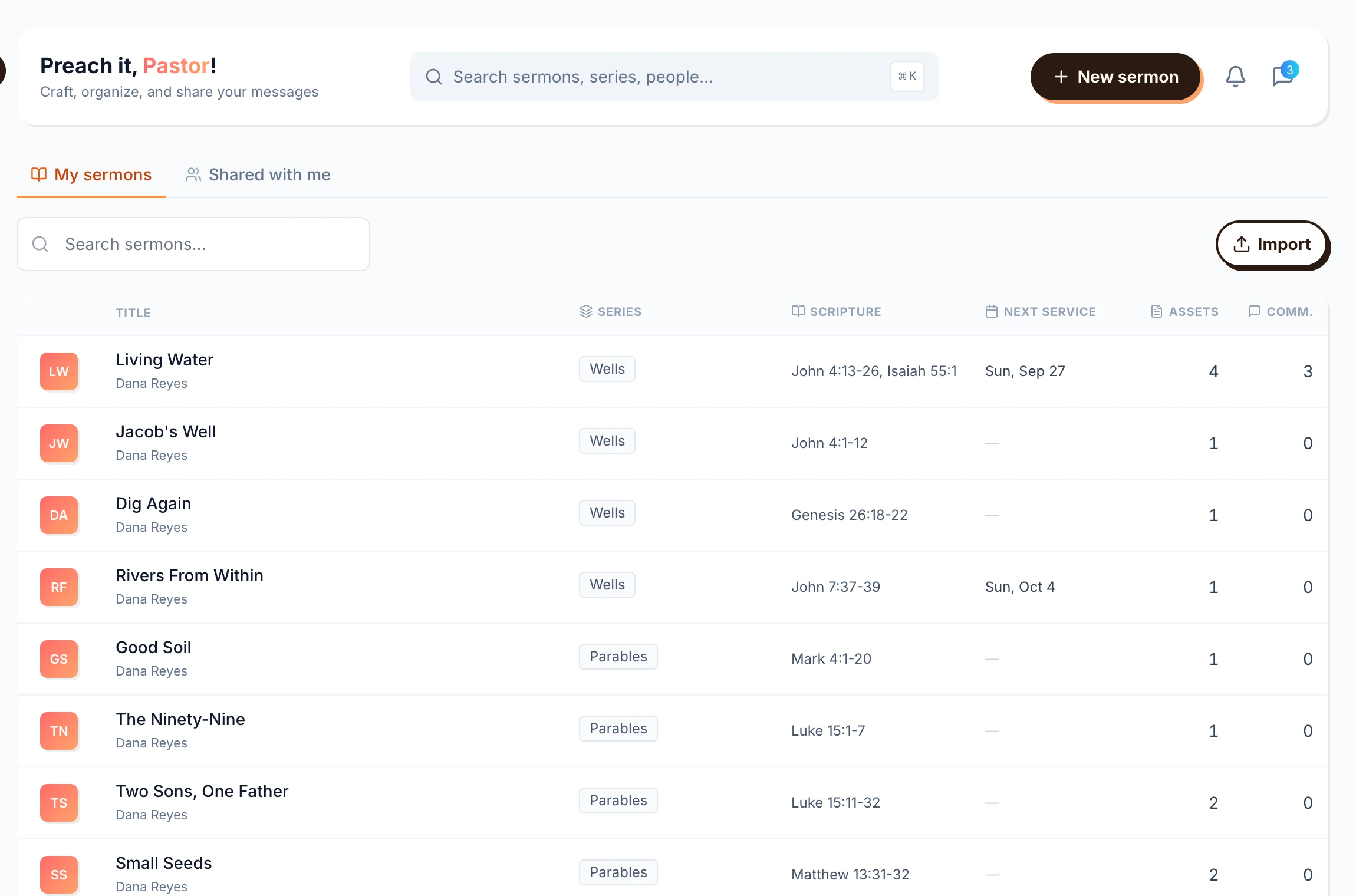
Keep every sermon in one searchable place, tagged by series and scripture passage. Folders by year break down the first time you want everything you preached on Romans 8. In ServantSuite every sermon sits in one library, grouped by series and tagged by the passages it uses. Search covers titles, speakers, passages and the sermon text. Files and links stay attached. Import old Word files to bring the archive with you.
Last reviewed against the shipping product.
At a glance
- Organize by
- Series, passage, speaker, date
- Search
- Titles, passages, series, full text
- Attach
- Files, images, video and links
- Cost
- Free, with 5 GB per church
“Didn't we preach Romans last summer?”
Why folders fail
A folder per year works until you need one passage across years. Filenames like Sunday 3-14 FINAL tell you nothing. Binders can't be searched. And the slides and handouts live on someone else's laptop.
A simple system that holds up
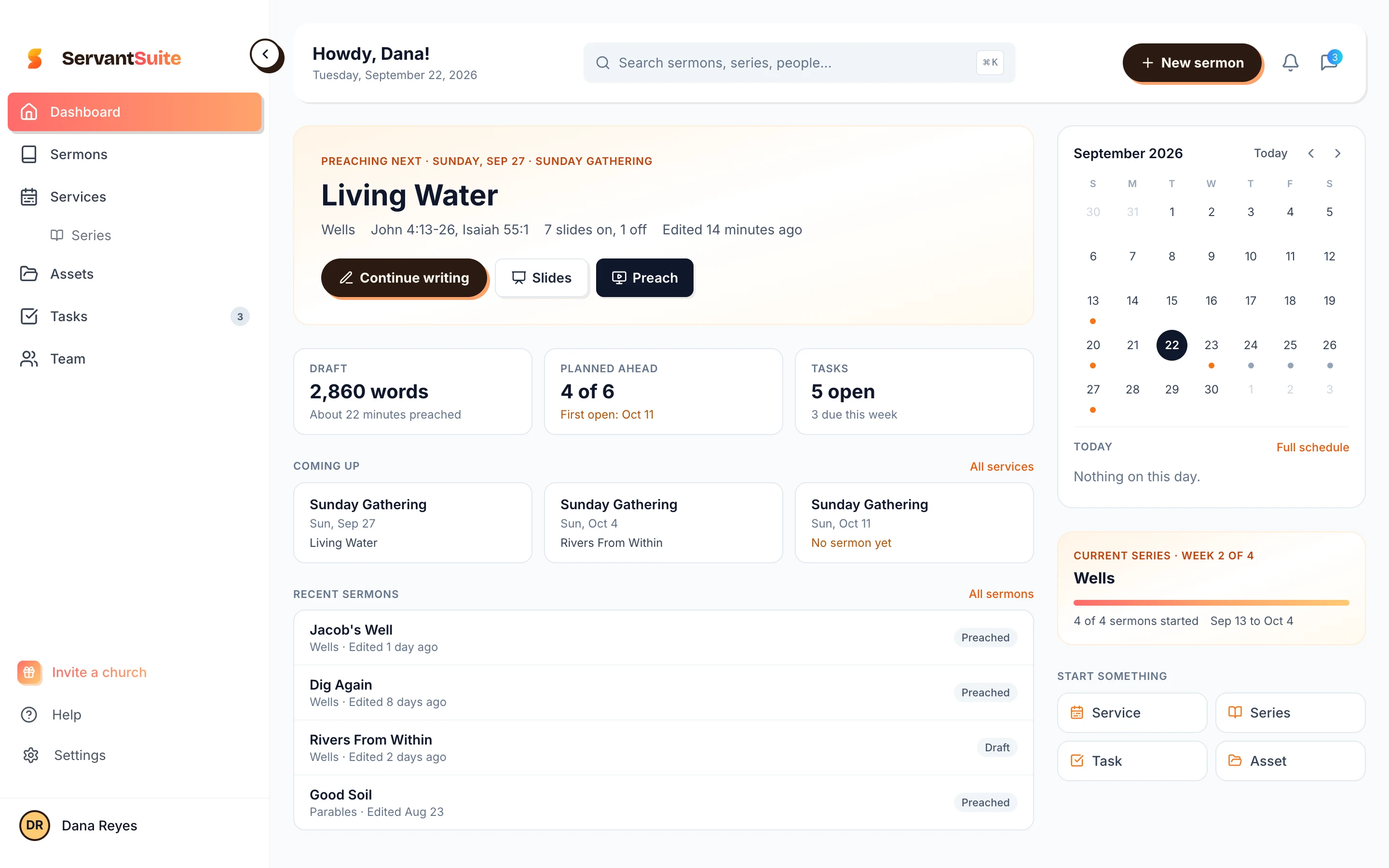
Three tags do most of the work: the series, the main passage and the date you preached it. Search does the rest.
- Series keeps a season together
- Passage finds every sermon on a text
- Date preached keeps you from repeating yourself
How ServantSuite does it
Every sermon lives in one library. Series group them. Verse references are recognized as you type, so each sermon is tagged by its passages without extra work. Search covers titles, speakers, passages, series and the sermon text itself.
- Files and links attached to each sermon
- Version history on every sermon
- Export to Word or PDF any time
Bringing the archive in
Start with the sermons you are likely to preach from again, not all of them. Import Word files and the importer finds the points and notes for you. Binders can wait; type up the ones you reach for.
Your sermons stay yours
Export any sermon to Word, PDF or text, free, whenever you like. Your sermons go with you if you change churches, and they are never sold or used to train AI.
Honest fit
Is ServantSuite right for you?
A good fit if
- Your sermons are spread across files, apps and binders
- You re-preach or build on past series
- You want to search by passage
Look elsewhere if
- You need to bulk import hundreds of files at once. Import works one file at a time today.
- You want a public sermon archive on your website. ServantSuite keeps your library private.
Free forever, for every pastor. Five-minute setup.
Start this week
- 1
Make this series a series
Create it and add this week's sermon.
- 2
Import the last few
Word files go straight in.
- 3
Tag as you go
Type references and they are tagged.
- 4
Search next year
Type the passage.
FAQ
Questions pastors ask.
Can I import my old sermons?
Yes, from Word (.docx), one file at a time. From Google Docs or Pages, save as Word first.
Can I search by Bible passage?
Yes. Search a reference and the sermons that use it come up.
How much storage do I get?
5 GB of files per church, free. Links to YouTube, Drive or Dropbox don't count against it.
Can I attach slides and handouts?
Yes. Files and links stay attached to the sermon they belong to.
Is there a public sermon archive?
No. Your library is private to you and the people you invite.
Keep reading
All guides- Alternative
What's a better alternative to Word for writing sermons?
Word and Google Docs were built for memos. What a sermon editor adds, how to bring your old sermons over, and when to stay with Word.
Read the answer - Guide
What's the best free sermon writing software?
The free sermon writing tools pastors use, what each one is good at, and what free really includes. Trials marked as trials.
Read the answer - Guide
How do I collaborate on sermon notes with my team?
Share sermon notes with your worship leader, media team and co-pastors. Comments, mentions, roles and version history, free for the whole team.
Read the answer
Try it this Sunday.
Free forever, for every pastor. No sermon limit, no card.
Questions first? Talk to a human