Guide · Writing the sermon
How do I collaborate on sermon notes with my team?
Your worship leader needs the big idea. The media team needs the verses. Your co-pastor wants to leave a note on point two. Nobody should need an attachment.
Free forever. No sermon limit, no card.
The short answer
Keep the sermon in one shared place and give each person the access they need. In ServantSuite your whole team joins your church's workspace free. Editors write and comment, viewers read. Comment on a line, @mention someone, add a task and restore any earlier version. Two people can edit the same sermon and their changes merge when they save, but there are no live cursors like Google Docs.
Last reviewed against the shipping product.
At a glance
- Team members
- Unlimited and free
- Roles
- Owner, Admin, Editor, Viewer
- Feedback
- Comments, replies, @mentions
- Live co-typing
- Not yet
“Can you send me the latest?”
Why attachments break down
Every attachment is a copy. The worship leader plans from Tuesday's draft, the media team builds slides from Thursday's, and nobody sees the line you changed Saturday night. Group texts make it worse.
A shared sermon fixes the version problem. Everyone opens the same notes, current the moment you save.
Comments where they belong
Highlight a line and leave a comment. Your co-pastor replies in the thread, and you resolve it when it is settled. Type @ and a name to pull someone in; they get a push notification and an email.
- Comments anchored to the text
- Replies and resolve
- @mentions in comments and in the sermon
Point 2
Jesus offers water that ends the thirst for good, not a refill for next week.
Marcus · Worship
Could we sing “Fountain” right after this point?
Pastor Dana
Yes. Jess can you cue the lyrics?
Resolve
The right access for each person
Invite staff and volunteers to your church's workspace. Editors write, comment and add tasks. Viewers read without changing anything. Admins manage the team. Members are unlimited and never cost a thing.
Sharing one sermon with someone outside your church, like a guest preacher or a mentor? Send a share link with view or edit access. They sign in free to open it, and you can revoke it any time.
- Owner, Admin, Editor and Viewer roles
- Share one sermon outside your church
- Revoke a share link any time
Grace Fellowship team
Unlimited members · free
- Owner
Lead pastor
Everything, including billing
- Admin
Staff
Manage the team and settings
- Editor
Co-pastor, worship
Write, comment, add tasks
- Viewer
Volunteers
Read the sermon
Tasks and the weekly rhythm
Drop a task into the sermon: find the video clip, pick a closing song. Recurring tasks cover the weekly jobs, so nobody has to remember to remind anybody. Services and open tasks sit together on one calendar.
- Tasks inside the sermon
- Recurring weekly tasks
- Reminders before they are due
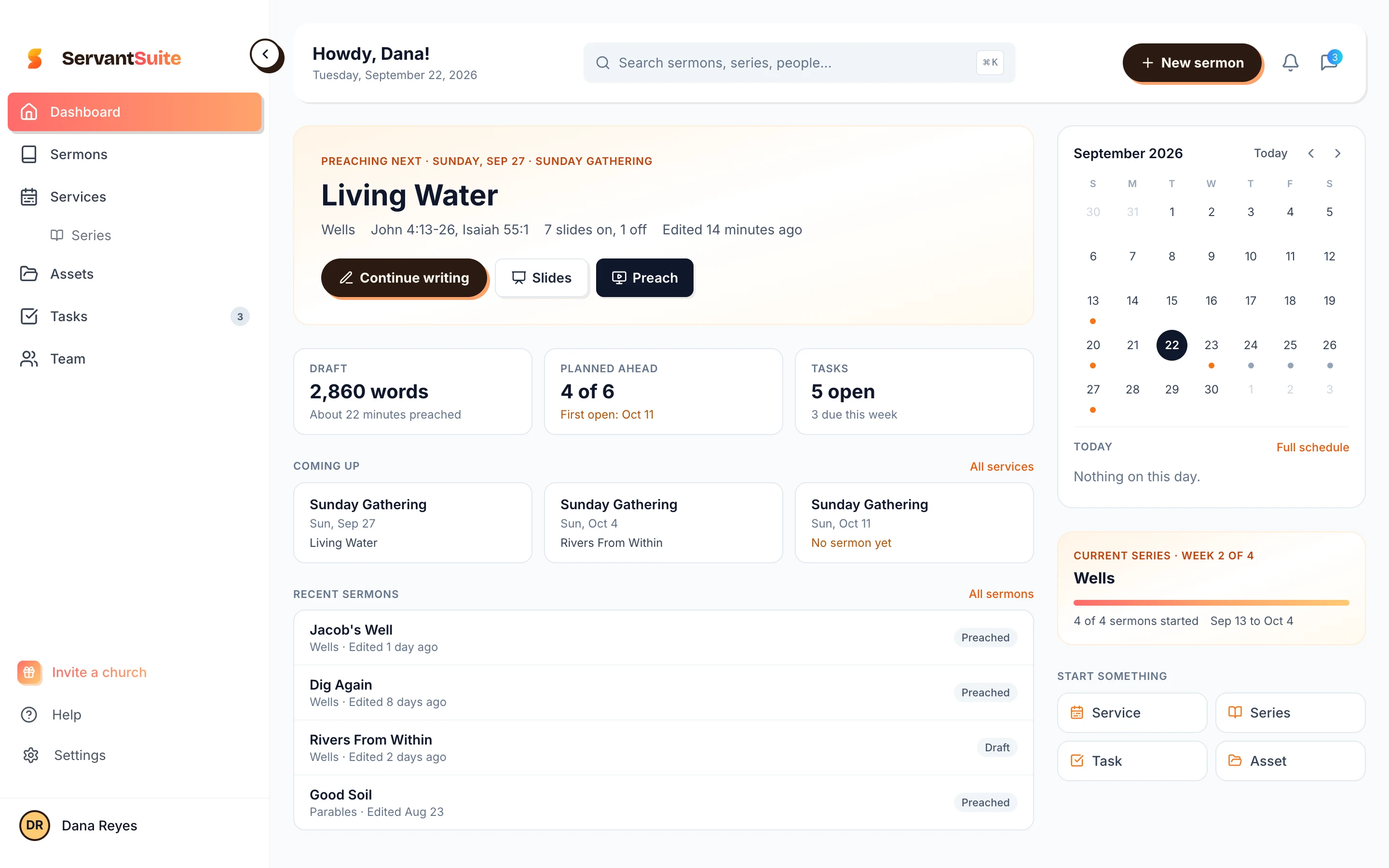
When two people edit at once
ServantSuite saves as you type. If you and a co-pastor change different parts of the sermon, both changes merge. If you change the same line, you choose which version to keep. Every save lands in version history, so nothing is lost.
What it doesn't do yet: show live cursors while you both type, like Google Docs. For most teams, one writer and a few commenters is how the week runs anyway.
The booth gets the sermon too
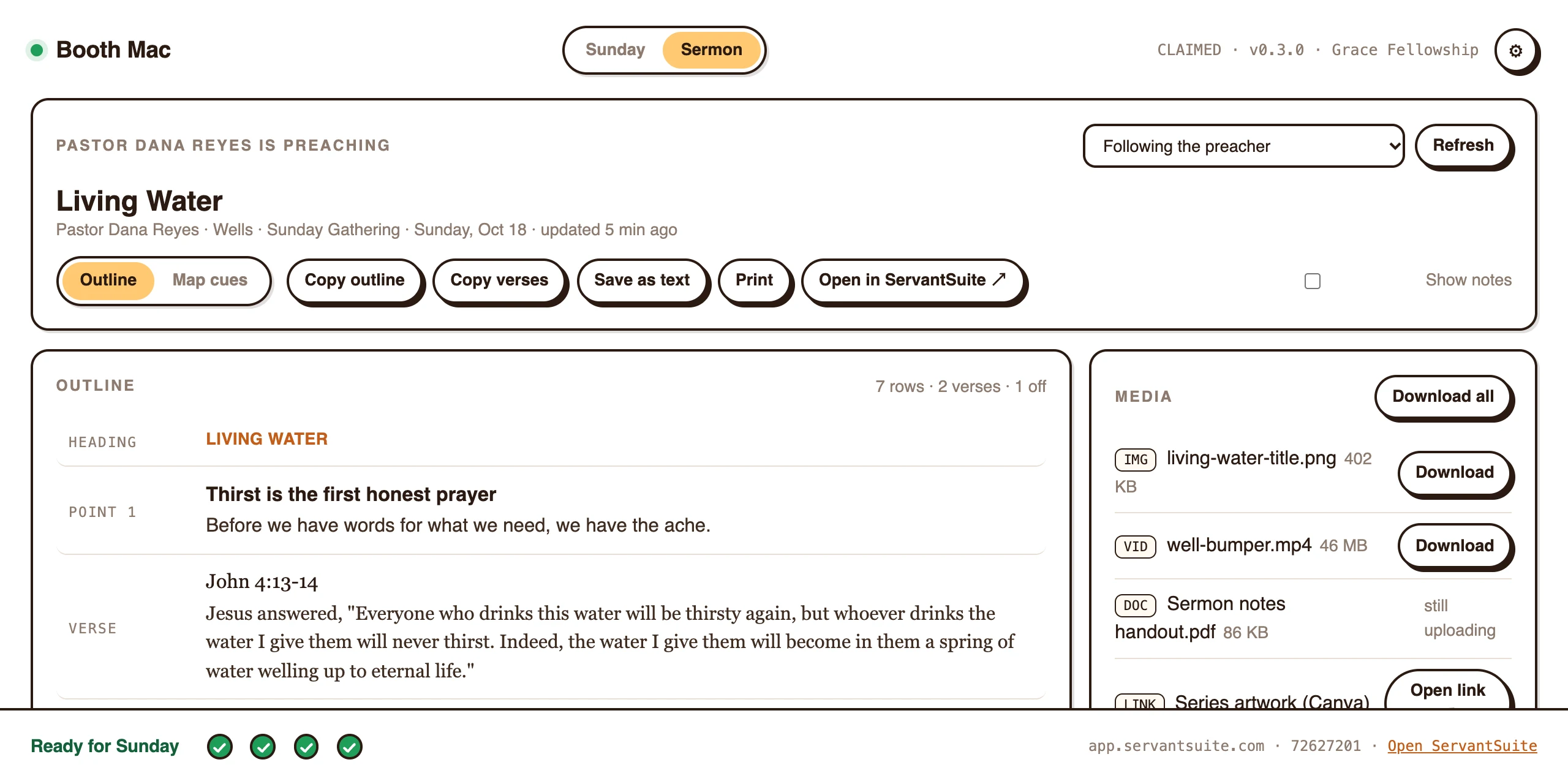
With ServantSync on the media computer, your outline and files show up in the booth as you save. The media team builds slides from the words you wrote. No more "send me the slides" texts.
Honest fit
Is ServantSuite right for you?
A good fit if
- Your team plans the service around the sermon
- You want feedback from a co-pastor or mentor
- Volunteers need to read the sermon, not change it
- You are done with attachments and group texts
Look elsewhere if
- You need two people typing in the same paragraph at the same moment. Use Google Docs for that session.
- You want a public link anyone can read without signing in. Shared sermons need a free account.
Free forever, for every pastor. Five-minute setup.
Bring your team in
- 1
Set up your church
Create your church's workspace. Free.
- 2
Invite the team
Send invites by email and pick a role for each person.
- 3
Write and mention
@mention the worship leader on the big idea.
- 4
Resolve and preach
Clear the comments, then tap Preach.
FAQ
Questions pastors ask.
Can two people edit a sermon at the same time?
Yes, with a caveat. Edits merge when each person saves, and you only choose when you both changed the same line. There are no live cursors, so it is not the same as typing together in Google Docs.
How much does it cost to add my team?
Nothing. Team members are unlimited and free.
Can volunteers read the sermon without editing it?
Yes. Give them the Viewer role.
Can I share a sermon with someone outside my church?
Yes. Send a share link with view or edit access. They sign in with a free account to open it. You can revoke the link any time.
Is there version history?
Yes. Every sermon keeps its revisions, and you can restore any of them.
Keep reading
All guides- Integration
Can my sermon notes go into Planning Center?
Send your sermon's points and verses to a Planning Center Services plan as slides, and move Planning Center Live as you preach. Free on every church.
Read the answer - Guide
How do I write sermons on an iPad and a Mac?
One sermon on every device you own. Write in Safari on iPad, offline on your Mac, and preach from either. What works today and what is coming.
Read the answer - Integration
Is there sermon software that syncs with ProPresenter?
ServantSync fires ProPresenter slides from your sermon notes as you preach from your phone. Requirements, setup, pricing and limits, stated plainly.
Read the answer
Try it this Sunday.
Free forever, for every pastor. No sermon limit, no card.
Questions first? Talk to a human