Feature
Write the sermon
your team can see.
An editor your team can already see. Scripture hover-cards, inline tasks, comment threads.
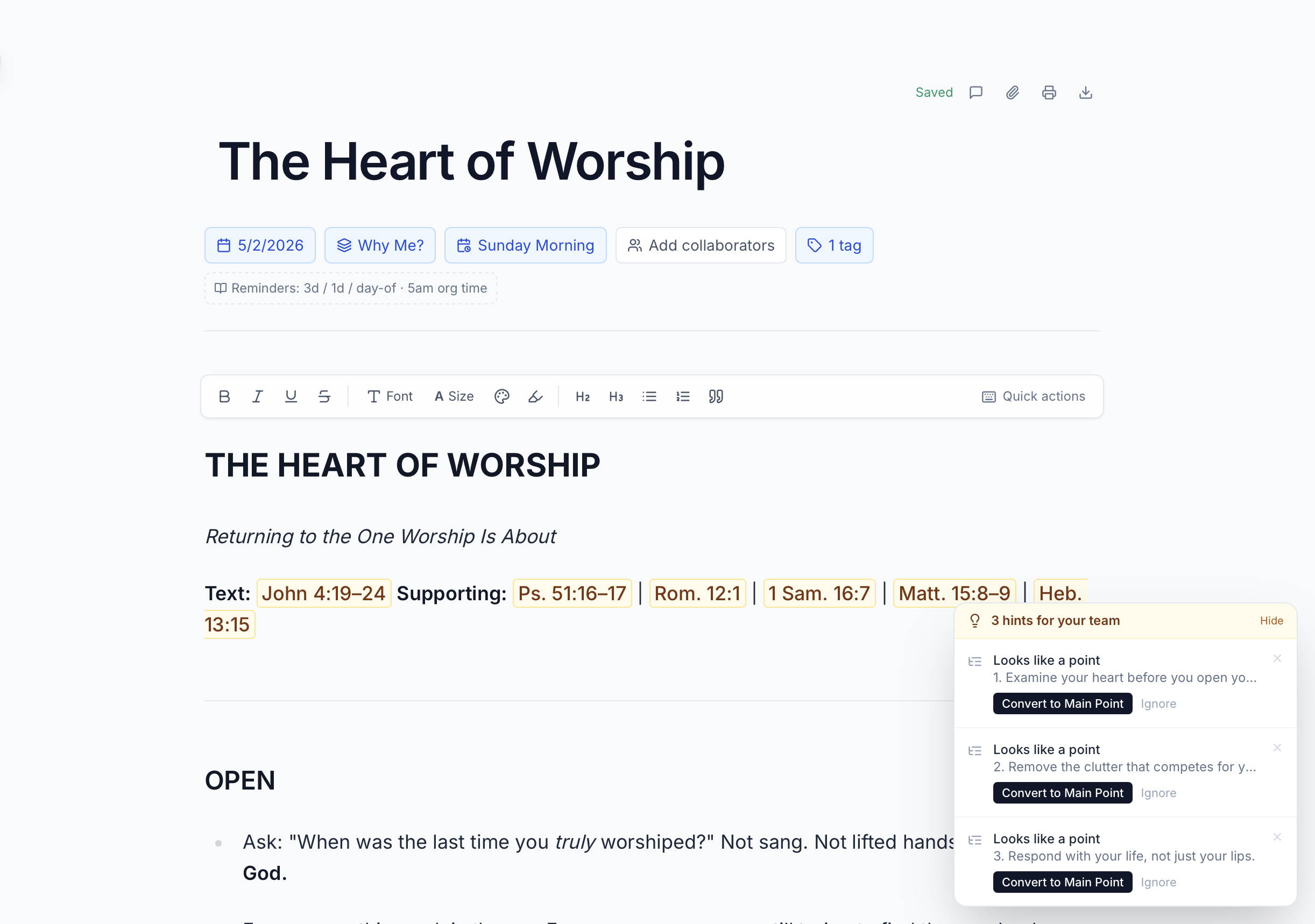
Your sermon lives in a Google Doc. Your team has no idea what you're preaching.
So everyone waits. Then everyone scrambles when you drop a passage in the group text Friday afternoon.
Write the sermon where your worship leader can see the passage Wednesday and your tech director can build slides from the outline. Same place. No texts.
A real editor
Built for sermon-shaped writing, not generic docs.
- Auto-save on every keystroke
- Distraction-free writing mode
- Word count and reading-time
Scripture hover-cards
Type Romans 8:28, hover to see the passage.
- ESV, NIV, NASB, CSB, KJV
- Tag sermons by passage
- Copy to bulletin or slides
Inline tasks and @mentions
@Maya, song for the closing? It lands in her task list.
- @mention any teammate
- Tasks roll into the weekly digest
- Comments thread per paragraph
Series and library
"Did we preach Romans last summer?" One search.
- Drag-and-drop series planning
- Filter by speaker, passage, theme
- Export any sermon as a Word doc
How it fits the week
- 1
Monday: outline goes in
Drop the passage and central idea. Team sees it in the Monday digest.
- 2
Tuesday-Wednesday: drafting in the open
Worship leader pulls songs. Tech sketches slides. While you write.
- 3
Thursday: comments come in
"Add 'Cornerstone' for the closing?" Reply in-thread. Decision lives next to the sermon.
- 4
Friday: locked
Bulletins, slides, songs all key off the same source. Saturday is for prayer.
“
I used to drop the passage in our team text on Friday afternoon and hope. Now Maya texts me on Wednesday: 'I love the Romans direction.' The whole vibe of our week changed.
Jordan Ellis
Lead Pastor · Redeemer Community Church
Try it on this Sunday.
Free for solo pastors. Five-minute setup for teams.